
Gaming PC Under ₹1.5 Lakh:
Where Should You Spend More?
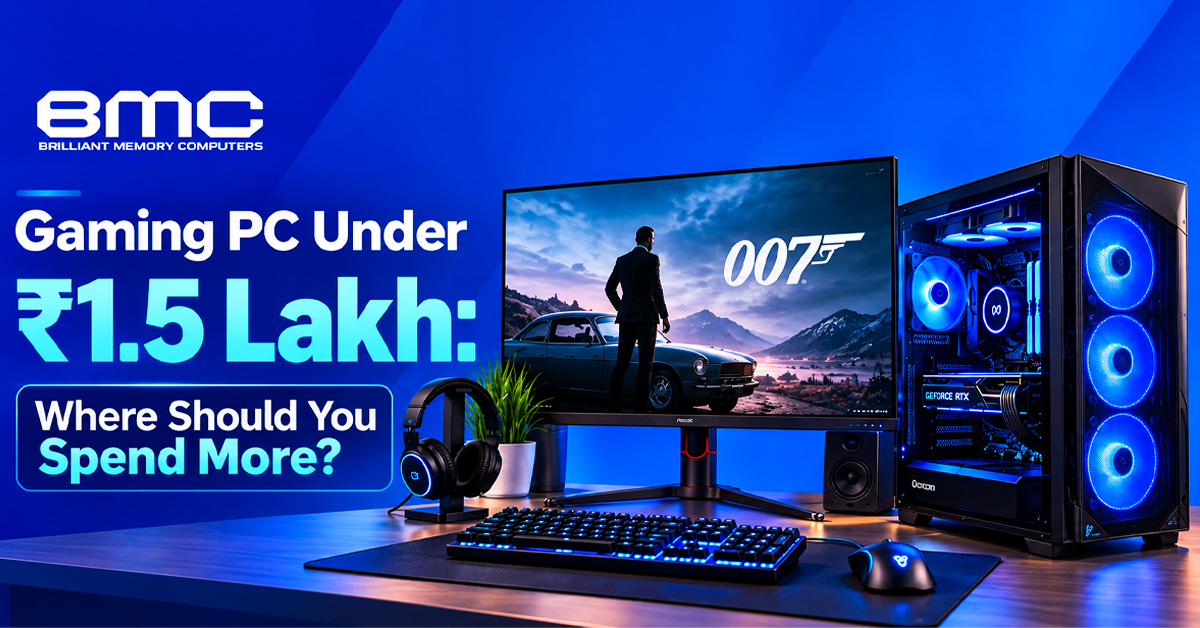
Building a gaming PC under ₹1.5 lakh is about deciding where extra budget will improve gaming performance. The graphics card usually has the biggest influence on frame rate, while the other components support consistent results. For buyers comparing a gaming PC in Chennai, the right configuration depends on the games, resolution, refresh rate and upgrade plans.
How to Allocate Your Budget in a Custom PC Build in Chennai
When planning a Custom PC Build in Chennai, start with the graphics card instead of selecting premium parts individually. GPU performance directly affects FPS, particularly in AAA gaming at 1440p or 4K. Adequate VRAM also matters as game settings become more demanding.
A balanced allocation can prioritize:
- Graphics card: The primary gaming-performance component
- Processor: Enough CPU performance to keep the GPU working efficiently
- DDR5 RAM: 16GB for mainstream gaming, with 32GB useful for heavier workloads
- NVMe SSD: Fast storage with enough capacity for a growing game library
- Motherboard: Appropriate chipset, connectivity and expansion options
- PSU: Suitable PSU wattage with sensible power headroom
- CPU cooler and PC case: Effective cooling and case airflow
This helps a gaming PC in Chennai prioritize performance over cosmetic or low-impact components.
How Much Should You Spend on the GPU for a Gaming PC Under ₹1.5 Lakh?
For a gaming PC under ₹1.5 lakh, the graphics card deserves careful consideration. At 1080p, CPU performance matters more for very high FPS; at 1440p and 4K, GPU power becomes increasingly important.
A gaming PC under ₹1.5 lakh should be evaluated using benchmarks from the games you play, including average FPS, frame consistency, VRAM and ray tracing performance.
Choosing the Right Processor for a Custom PC Build in Chennai
A Custom PC Build in Chennai should pair its processor with the selected GPU and display target. An Intel Core processor or AMD Ryzen processor with suitable CPU cores can support modern gaming without taking too much of the budget.
CPU clock speed and boost clock matter, but overall CPU performance is more relevant for esports gaming, competitive titles and high-refresh-rate gaming.
When Does RAM Matter in a Gaming Computer in Chennai?
For a gaming computer in Chennai, 16GB DDR5 RAM can handle many current games, while 32GB provides more headroom for demanding titles and background applications. Dual-channel memory can support balanced performance.
Rather than buying maximum RAM, consider the actual PC configuration. A gaming computer in Chennai should also leave a sensible path for a future RAM upgrade.
Choosing the Right Storage for a Custom Gaming PC in Chennai
A custom gaming PC in Chennai benefits from an NVMe SSD for faster loading and file transfers. However, premium SSD speeds may have less gaming impact than additional GPU budget.
For a custom gaming PC in Chennai, consider storage capacity alongside PCIe SSD performance. With modern AAA games requiring substantial space, capacity can matter more than maximum sequential speeds.
Motherboard, PSU and Cooling for a Gaming PC in Chennai
The motherboard should support the processor, RAM and storage while providing useful expansion options. A suitable chipset and PCIe support help with compatibility and upgrades.
Power supply selection is equally important. A gaming PC in Chennai needs enough PSU wattage for the processor, graphics card and planned upgrades. Quality, efficiency and power headroom matter more than maximum wattage.
Cooling should maintain thermal performance during extended sessions. Good case airflow and an appropriate CPU cooler help maintain stable performance.
Matching a Gaming Computer in Chennai to Your Monitor
A gaming computer in Chennai should be selected with the monitor in mind. At 1080p, CPU performance matters more for high-refresh eSports gaming; at 1440p and 4K, GPU performance takes greater priority.
Before finalizing the desktop configuration, check the monitor's resolution and refresh rate so the system can match the display.
Where to Avoid Overspending on a Gaming PC Under ₹1.5 Lakh
A gaming PC under ₹1.5 lakh can become unbalanced when too much money goes toward components that have little effect on FPS. An expensive motherboard, excessive RGB or high-end storage can reduce the graphics card budget.
Before finalizing the build, assess these areas:
- GPU performance at the chosen resolution
- CPU performance for the intended games
- VRAM capacity for demanding titles
- RAM capacity and future upgradeability
- PSU quality and power consumption
- Cooling capability and case airflow
This keeps the gaming PC under ₹1.5 lakh focused on performance and compatibility.
Planning for Upgrades in a Custom Gaming PC in Chennai
A custom gaming PC in Chennai should be evaluated beyond launch-day specifications. Upgradeability can extend its useful life through additional memory or storage.
If requirements increase, a RAM upgrade or SSD upgrade may be more practical than replacing the system. A custom gaming PC in Chennai should leave sensible room for future changes.
Finding the Right Balance in a Gaming Computer
A gaming computer in Chennai should balance performance with compatibility, cooling and ownership costs. The processor should complement the graphics card, while the motherboard, PSU and cooling system should support the configuration without unnecessary overspending.
For buyers considering a gaming PC in Chennai, give strong attention to GPU performance, followed by a capable CPU, adequate memory and storage. Power consumption and thermal performance also matter during long sessions.
Final Buying Strategy for a Gaming PC Under ₹1.5 Lakh
Plan a gaming PC under ₹1.5 lakh around the target first: 1080p high-refresh gaming, 1440p AAA gaming or 4K gaming. Then distribute the budget accordingly.
A Custom PC Build in Chennai can prioritize the graphics workload while keeping supporting components balanced. A custom gaming PC in Chennai can also provide room for future RAM, storage or GPU upgrades.
For buyers comparing a gaming computer in Chennai, check compatibility, storage, cooling, power supply and upgradeability. The strongest configuration is one where the processor, GPU, RAM, SSD and supporting hardware work together for the intended gaming experience. Component compatibility, storage capacity, cooling, power supply and upgradeability should remain important too for the system.